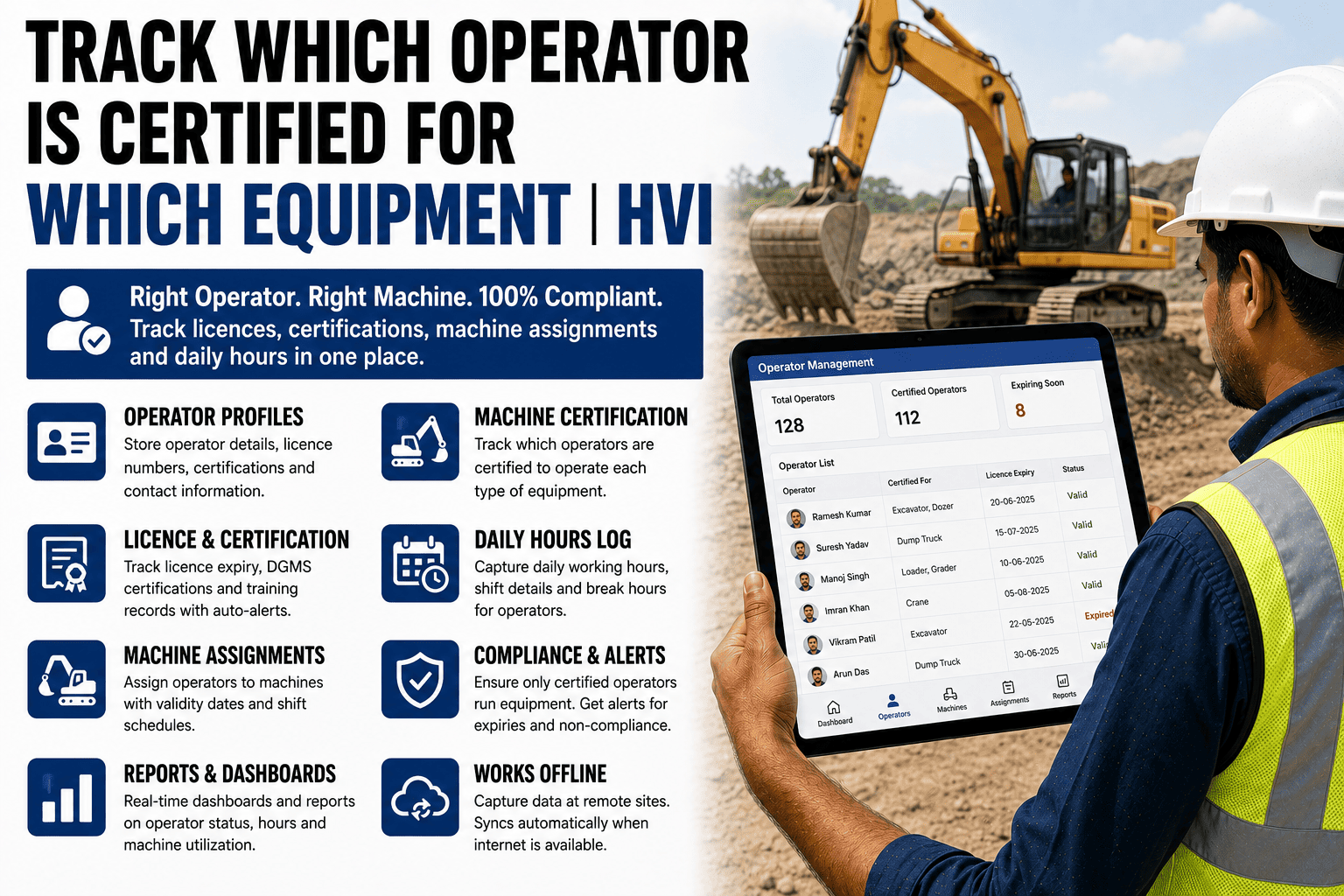
A filing cabinet works fine for one operator's certificate, filed once and rarely touched again. It stops working the moment a fleet has forty operators, each holding two or three different certifications, each renewing on its own schedule, and each certificate potentially needing to be checked against an equipment assignment on any given day. At that scale, a physical folder isn't a record — it's an archive that nobody consults until something forces them to, usually an audit or an incident. The alternative isn't a bigger filing system; it's moving the record somewhere it can actually be searched, cross-referenced, and checked automatically before an assignment happens. Here's how to make that shift in practice, and how HVI structures certification tracking so it's usable, not just stored.
How to Track HEMM Operator Certifications Without a Filing Cabinet
How Indian construction and mining fleet managers are digitising DGMS operator certification records — licence numbers, training dates, renewal alerts, and equipment class assignments.
What a Usable Certification Record Actually Needs
Licence number and issuing authority
The specific certification identifier and who issued it, searchable rather than buried in a scanned copy nobody indexes.
Equipment class coverage
Exactly which machine types the certification qualifies the operator for, so it can be checked against a specific assignment, not just confirmed to exist.
Training completion date
When the underlying training was completed, useful for both renewal timing and audit documentation.
Expiry date with lead-time alerts
A clear expiry date that triggers a warning well before the deadline, not just a date sitting quietly in a file.
See what a searchable, cross-referenced certification record looks like for your own operator roster.
Filing Cabinet vs. Searchable Record
| Task | Filing Cabinet | Digital Record |
|---|---|---|
| Find every crane-certified operator | Manually check each individual file | Filter by equipment class instantly |
| Confirm an operator's certification before assignment | Physically locate and check their file | Checked automatically at the point of assignment |
| Know which certifications expire this month | Review every file to find expiry dates | Filtered list generated on demand |
| Produce certification evidence for an audit | Pull and photocopy individual files | Exported as a single report |
How to Make the Shift, Step by Step
Step 1
Digitise the existing records first
Scan or photograph every current certificate and enter the key fields — licence number, equipment class, expiry date — rather than starting from scratch with only new hires.
Step 2
Map certifications to equipment classes
Define which certification type is required for which machine category, so the system has a rule to check assignments against, not just a list of names and dates.
Step 3
Set alert lead times before expiry
Configure warnings well ahead of each certification's deadline, giving enough time to schedule renewal training before an operator becomes ineligible for assignment.
Step 4
Connect the record to the assignment process
Make certification status visible — or enforced — at the moment a supervisor assigns an operator to a machine, closing the gap between the record and the decision it should inform.
Frequently Asked Questions
How long does it take to digitise an existing filing cabinet of certifications?
For a fleet of forty to fifty operators, entering the key fields for existing certifications typically takes a few days of focused data entry, after which the ongoing process of adding new certifications is far faster.
Can this track multiple certifications per operator, not just one?
Yes — an operator can hold several certifications for different equipment classes, each tracked with its own expiry date and renewal alert independently.
Does this work for DGMS-specific licences as well as general operator training records?
Yes — certification records can be tagged by type, covering DGMS-specific licences for equipment like cranes and explosives handling alongside general operator training certificates.
Does this integrate with our SAP, Oracle, or Tally HR records?
Yes — certification data can sync with these systems, so operator qualification tracking stays connected to the same HR and asset records your team already manages.
How soon could we get our own operator roster digitised and searchable?
Once certification data is loaded into the system, it's immediately searchable and cross-referenced against equipment classes; sign up free to start digitising your own roster.
Move the Record Somewhere It Can Actually Be Used
A filing cabinet stores certifications; it doesn't check them against an assignment before it happens. Start free and turn your certification records into something searchable and enforceable, or bring your current tracking process to a 30-minute session with our India team.



.png)