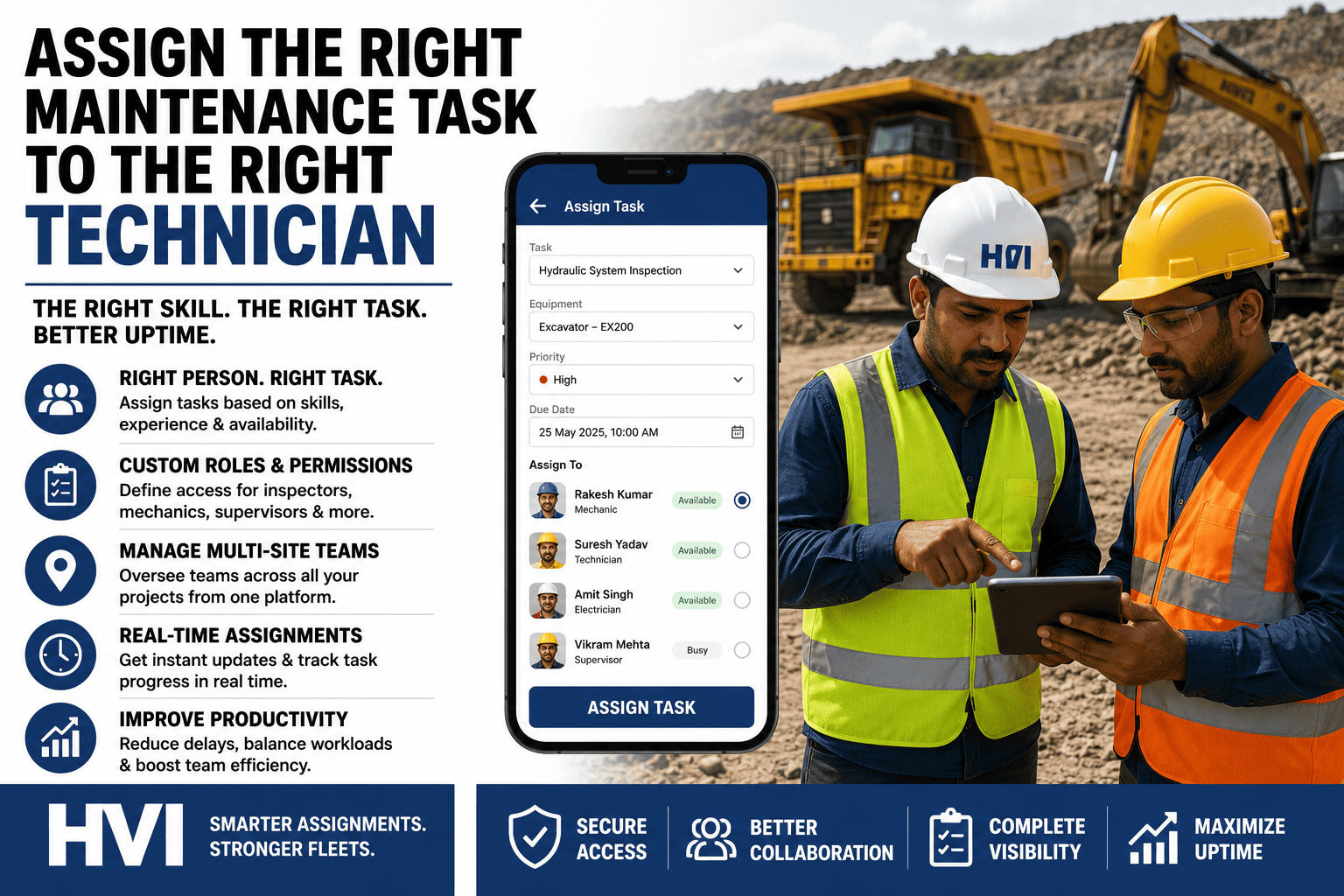
Ask how jobs get assigned in most Indian workshops and the honest answer is: whoever the supervisor sees first, whoever answered the phone, whoever "usually does that machine." Skills live in one man's memory, workload is invisible, and when the hydraulic specialist spends his morning on a battery swap while a leaking EX 210 waits, nobody even calls it a mistake — it is just how mornings go. The cost shows up everywhere except the assignment itself: repairs that take twice as long in the wrong hands, comeback jobs redone within the week, one fitter burning out under six tasks while another waits for work, and a supervisor whose entire system walks out the gate the day he takes leave. HVI turns assignment into a system: every technician carries skill tags, machine-class experience, and a live load count; every job carries what it needs; and the match is suggested in one glance — wrapped in role-based permissions where operators report, supervisors assign, stores issue, and only engineers close, across every site from one platform, offline where signal fails. Sign up free and set up your team this week.
Assign the Right Maintenance Task to the Right Technician
Skill-matched task assignment, live workload visibility, and role-based permissions for operators, fitters, supervisors, and engineers — across every site, from one platform, on the phones your team already carries.
Why Jobs Keep Landing in the Wrong Hands
Assignment by Memory
Who can rebuild a swing motor, who is certified on electrics, who knows the Volvo fleet — it all lives in the supervisor's head. The day he is on leave, the workshop assigns blind.
Invisible Workload
One fitter drowns under six jobs while another finishes early and waits — and the machine with the production-critical breakdown queues behind a routine greasing because nobody can see the board.
Everyone Can Touch Everything
On WhatsApp-and-register systems there are no roles: anyone can "close" a job verbally, costs are visible to nobody or everybody, and accountability dissolves the moment two people touched one task.
One Work Order, Five Sets of Hands — Each With Their Part
Reports
Flags the defect from the daily inspection with photo and severity — his part ends there; he cannot assign, edit, or close.
Triages
Sets priority against production impact and converts the defect to a work order — with the full job queue visible while deciding.
Executes
Gets the job on his phone with history, manuals, and required parts attached — logs labour hours and photos as he works.
Issues Parts
Sees the parts demand the moment the job is assigned and issues against the work order — costs land on the machine automatically.
Verifies & Closes
Reviews the completed job with photos and costs, and only his role can close it — or bounce it back with a note.
Skill Tags Do the Matching — Not Memory
Hydraulic leak, boom cylinder — EX 210 at the pit face
Needs: Hydraulics + Excavator class + Field-capableRavi K. — Hydraulics certified, 8 EX-class jobs this quarter, 2 open tasks, currently at Site A
Alternator and wiring fault — Volvo tipper in workshop
Needs: Auto-electrical + CV experienceSuresh P. — Electrical specialist, free after 11 AM, last serviced this vehicle in June
500-hour PM service — Komatsu dozer, due in 40 hours
Needs: PM-certified + Dozer classImran S. — PM crew lead, lightest load this week, schedule slot open Thursday
Skill tags, machine-class experience, current load, and location are all the system needs to suggest the right name — the supervisor still decides, but now in one glance instead of one phone-around. And every completed job updates the technician's record, so the skill map builds itself.
Load Your Team and Their Skills in One Afternoon
Bring your technician list to a 30-minute session — our India team sets up roles, skill tags, and site mapping live, and shows tomorrow's job queue assigning itself by skill and load: the hydraulic job finding the hydraulic hands, the overloaded fitter flagged before he is buried, the PM crew's week laid out in slots. Contractor crews join with the same setup, scoped to their site and revocable in a click. Operators and fitters learn their part in minutes — it is one screen each, in Hindi or English — and supervisors keep the final say on every assignment; the system suggests, it never overrules. Most workshops run their first fully-assigned morning within a week of the call.
See the Load Before You Add to It
The board shows every technician's open jobs, criticals, and hours logged this week — overload gets flagged before quality slips, idle capacity gets used, and "who is free?" stops being a shouted question. Multi-site managers see the same board per site, and can move people where the breakdowns are.
Roles & Permissions: Who Can Do What
| Role | Sees | Can Do | Cannot Do |
|---|---|---|---|
| Operator | Own machine's checklists and defect status | Run inspections, report defects with photos, log meter readings | Assign, edit, or close work orders; see costs |
| Technician / Fitter | Own assigned jobs with history and parts | Log labour, request parts, mark work complete | Self-assign, close jobs, or view rate data |
| Supervisor | Full job queue and team load for own site | Triage, prioritise, assign and reassign tasks | Close criticals without engineer sign-off |
| Site Engineer | Everything on own site including costs | Verify and close jobs, approve overrides, ground machines | See or edit other sites without HO role |
| Stores | Parts demands and stock across own site | Issue against work orders, raise reorders | Create or close maintenance jobs |
| Fleet Manager / HO | All sites, all costs, all dashboards | Cross-site reporting, budgets, user and role administration | — (full access, every action still logged) |
| Auditor (view-only) | Compliance records, registers, closed jobs | Export reports for DGMS and Factories Act reviews | Change anything, anywhere |
Frequently Asked Questions
Can contractor technicians and hired crews get accounts?
Yes — contractor staff join with the same technician role, scoped to their site and jobs, so their labour hours and job quality are tracked exactly like your own crew's. When the contract ends, access is revoked in one click and their work history stays with the machines they touched.
How are skills defined — and who maintains them?
Skill tags are yours to define: trade (hydraulics, electrical, engine), machine class, certifications, even OEM training. Supervisors tag their team once at setup, and the record self-updates from completed jobs — after a quarter, the system knows who actually does what better than any register did.
What happens when the assigned technician is absent or stuck?
Unaccepted or stalled jobs escalate to the supervisor automatically after your set window, with one-tap reassignment to the next best match. The job's history travels with it, so the new technician starts with the photos, notes, and parts already attached — nothing is re-explained.
How granular do permissions get?
Down to the action: who sees costs, who can close criticals, who can override a grounding, who can edit closed records — each is a switch per role, and every sensitive action lands in an audit log with name and timestamp. Start from the standard roles above and adjust as your site works; sign up free and configure them in an afternoon.
How long does it take to onboard a full team?
Roles and users load in an afternoon; operators and fitters learn their single screen in one toolbox talk; supervisors are fluent inside a week. Most multi-site fleets are fully live in two to three weeks — see the setup flow end-to-end in a 30-minute demo with our India team.
Your Best Technicians Are an Assignment System Away from Their Best Work
The skills are already on your payroll — what is missing is the system that puts the hydraulic specialist on the hydraulic failure, keeps the PM crew on schedule, spreads the load before someone burns out, and lets every role do exactly its part and nothing else. Set up roles, skills, and sites once, and watch mean repair time drop as jobs stop bouncing between the wrong hands. Start free and load your team today, or bring your technician list to a 30-minute session and leave with the board running.