Every fleet that has tried to digitise inspections knows the real failure point is not the software — it is the third week, when operators quietly go back to the paper pad because the app took too long. An operator standing beside a machine in the sun, wearing gloves, with a shift already running late, will not type into free-text fields or navigate four menus to record that a hose looks fine. If a digital inspection takes meaningfully longer than the paper form it replaced, it will lose, regardless of how good the dashboard behind it is. HVI was built around that constraint rather than despite it, and you can see the operator view for yourself in a free 30-minute demo.
Operators Won't Use a Complicated App — So We Removed the Complications
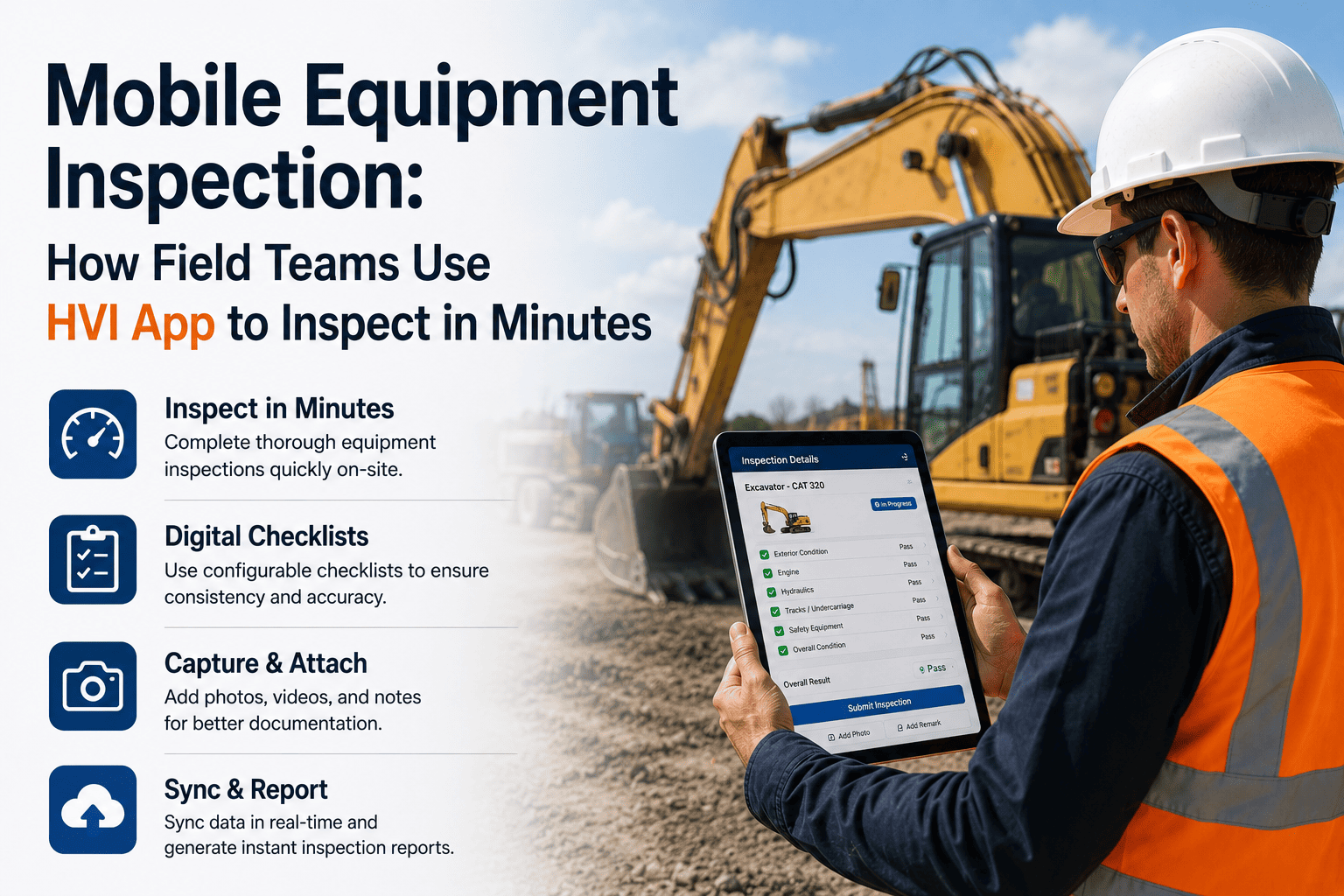
Inspection forms driven by taps, photos, and voice notes instead of keyboards, so any operator with a basic smartphone completes a full daily inspection in about two minutes.
Two Minutes, Start to Finish
What a full daily inspection actually looks like on the operator's phone, from opening the app to the record being logged.
Operator opens the app and scans or taps the machine they're working on.
The correct checklist for that equipment type loads automatically, already assigned.
Walkaround begins, with each item cleared by a single tap for pass.
A worn item is marked fail, and the camera opens directly for a photo.
A voice note captures the detail instead of typing it into a text field.
Inspection submitted, work order raised, and the site engineer notified.
What We Took Out, and Why
Gloved hands and small keyboards do not mix. Pass and fail are taps, and detail is captured by photo or voice note instead of free text.
Checklists are written in plain language with a single decision per line, so an operator can complete one correctly the first time they see it.
The whole inspection completes offline at remote mine and highway sites, syncing on its own once the phone reaches coverage.
Scanning the machine loads its own checklist directly, removing the step where the wrong form gets filled for the wrong asset.
See the Operator View, Not Just the Dashboard
Most inspection software is demonstrated from the manager's screen. Ask to see the one your operators will actually hold.
Why Adoption Is the Whole Game
An inspection system used by every operator every shift produces a complete record. The same system used by half the operators half the time produces something worse than paper, because the gaps look like compliance rather than absence.
Frequently Asked Questions
Does this work on basic smartphones, or do operators need newer devices?
It runs on basic smartphones, since the inspection relies on taps, the camera, and voice notes rather than anything demanding. You can check it against the handsets your crews actually carry on a demo call.
How much training do operators need before their first inspection?
Very little. Checklists use plain language with one decision per line, so most operators complete their first inspection correctly without a formal training session.
What if an operator doesn't read English comfortably?
Voice notes remove the need to write, and checklist items are kept short and plain, which matters more for comprehension than the length of the form.
Can operators share one device across a shift?
Yes. A shared device works, with each submission logged against the operator who completed that particular inspection.
What happens if there's no signal at the site?
The inspection completes fully offline and syncs automatically once the device reaches coverage, so remote sites never block the process. Start with a free trial to test it on your own site.
The Best Inspection System Is the One Your Operators Actually Use
Put a two-minute, tap-and-photo inspection in your operators' hands, and get a complete record instead of a half-filled one. No typing, no training course, and no signal required, so the crews at remote mine and highway sites complete the same inspection as everyone else and it syncs the moment coverage returns.