Every fleet manager running excavators, cranes, dumpers, and loaders across an Indian project site eventually asks the same question: which inspection app can the team actually rely on for every single shift. The answer matters more than a feature list suggests, because the wrong choice means crashed checklists, missing photos, and operators quietly going back to paper within a month of rollout. Dozens of apps claim to "digitize" equipment inspection, yet very few are built for the realities of Indian sites — patchy mobile networks, a mix of basic and mid-range Android phones, and fleets that combine excavators, cranes, dumpers, and generators on the same yard. This guide breaks down exactly what separates a genuinely useful heavy equipment inspection app from a digital form dressed up as software, using the criteria fleet teams across highway, mining, and EPC projects actually test before they commit. If you want to see what a purpose-built option looks like, you can start a free trial before reading any further.
App Comparison Guide — India 2026
Best Heavy Equipment Inspection Apps for Android & iOS in India
From single excavators to fifty-machine fleets, here is how fleet teams across construction, mining, and EPC sites actually evaluate inspection apps, and what separates the ones that survive contact with a real job site from the ones that quietly get abandoned.
Why Choosing the Right App Matters More in India
India's highway, mining, and EPC fleets are expanding faster than the manual systems built to track them. A growing share of that fleet still runs on paper clipboards and personal WhatsApp groups, which works fine until an auditor, an insurer, or a breakdown asks a question the paper trail cannot answer quickly. The numbers below are why "we'll digitize eventually" keeps getting more expensive to put off.
82%
of construction and infrastructure companies still rely on paper or spreadsheet-based maintenance tracking
40%
higher equipment failure rate reported by fleets that operate without digital inspection records
<10 min
average time for an operator to complete a guided digital pre-shift inspection on a smartphone
96%
audit pass rate reported for digitally documented inspections, well above typical paper-based records
What to Actually Look For in an Inspection App
Most inspection apps look identical in a sales demo. The difference shows up three weeks into real use, on a real site, with a real mixed fleet. These are the six things worth checking before any contract gets signed.
01
Android & iOS Native SupportOperators, supervisors, and site engineers rarely carry the same phone. An app that only runs well on one operating system forces half the team into workarounds from day one.
02
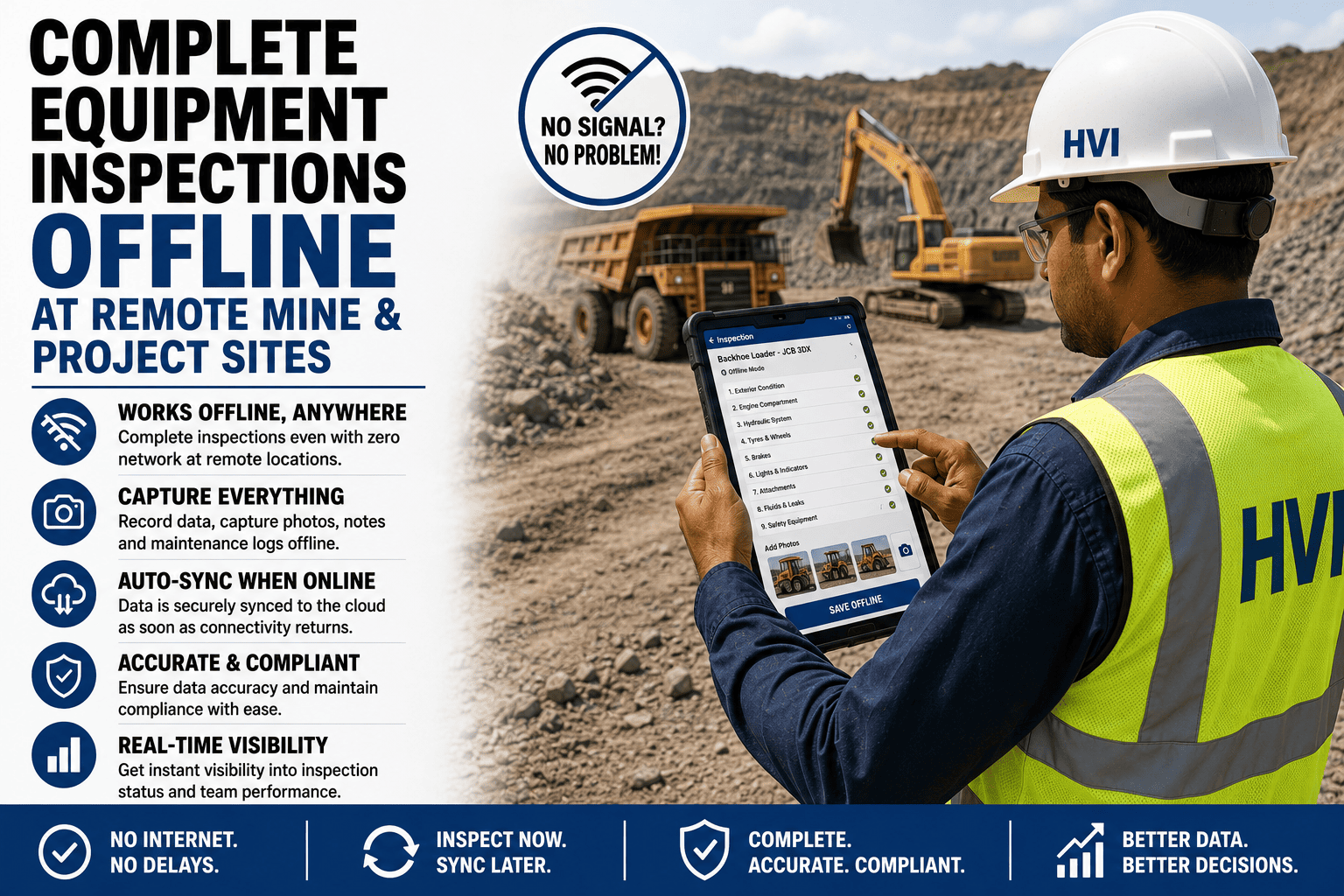
True Offline CapabilityChecklists, photo capture, and GPS tagging need to work with zero signal, not just a brief network hiccup. Anything less fails exactly where it matters most: remote highway stretches and underground mines.
03
Photo + GPS EvidenceEvery flagged defect should be photographed and geo-tagged automatically using the phone's own GPS chip, not typed in from memory after the operator walks back to the office.
04
Auto-Generated Work OrdersA flagged defect should turn into a maintenance ticket on its own. If someone still has to re-type it into a second system, the app has only solved half the problem.
05
Pre-Built Equipment TemplatesExcavators, cranes, dumpers, and generators all fail in different ways. A single generic "vehicle" form stretched across every machine type misses what each one actually needs checked.
06
Compliance-Ready ReportingA report should already look like what an NHAI, factory, or mining inspector expects to see, without anyone reformatting it by hand the night before an audit.
How the Options Actually Compare
Scroll the table sideways on a phone to see every column. The middle ground — generic field-service apps repurposed for equipment — is where most disappointment happens.
| Feature | Basic Checklist Apps | Generic Field-Service Apps | Purpose-Built Equipment Apps |
|---|---|---|---|
| Android & iOS support | Often Android only | Usually both | Both, fully supported |
| True offline mode | Rarely available | Partial, limited | Full offline-first |
| Photo + GPS auto-tagging | Not available | Sometimes, inconsistent | Automatic, every photo |
| Auto-generated work orders | Not available | Manual entry needed | Created automatically |
| Equipment-specific templates | One generic form | Limited customisation | Pre-built per equipment |
| Compliance-ready PDF reports | Basic export only | Generic format | Audit-ready format |
"
We picked an app after a thirty-minute demo because it looked clean and the salesperson was convincing. Three weeks in, we realised it had no real template for our cranes — wire rope and outrigger checks were missing entirely, and our crane operators were typing notes into a free-text box that nobody read. We switched to a platform built specifically for heavy equipment, and the difference was immediate: the right checklist loaded the moment the operator picked the machine. Now we test equipment-specific templates before signing anything, not after.
See These Criteria in Action
Every feature on this page is something you can test yourself in minutes, not something you have to take on faith from a brochure.
How to Evaluate Before You Commit
Skip the feature checklist in the sales deck and run these five checks instead, in this order, before any fleet-wide rollout.
Step 1
List every equipment type in your fleet, not just trucks — excavators, cranes, dumpers, generators, and anything else that needs a pre-shift check.
Step 2
Put a test device in airplane mode and complete a full inspection, including photos, before assuming offline mode actually works.
Step 3
Flag a defect and check whether a real maintenance work order appears on its own, or whether someone still has to re-enter it manually.
Step 4
Ask for a sample compliance PDF generated from a real inspection, not a marketing screenshot, and compare it against what your auditors expect.
Step 5
Roll out to a single site or equipment category for two weeks before expanding fleet-wide, so any gaps surface early and cheaply.
Frequently Asked Questions
Can one inspection app handle excavators, cranes, dumpers, and generators together?
Yes, provided the app supports equipment-specific templates rather than one generic vehicle form. A purpose-built platform loads the correct checklist automatically based on the machine selected — engine and hydraulics items for an excavator, wire rope and outrigger checks for a crane, load and fuel checks for a generator. You can start a free trial and add your own mixed fleet to test this directly.
Do these apps actually work without any SIM card or mobile data at all?
A genuinely offline-first app works from the moment it is installed, since checklists and machine data are stored locally on the device rather than fetched from a server each time. Operators can complete full inspections, including photos and GPS tagging, with the phone in airplane mode, and everything syncs automatically once any connection returns. Apps that only cache data for short outages tend to fail under sustained zero-signal conditions like underground mines or remote highway stretches.
How is a heavy equipment inspection app different from a generic field-service app?
Generic field-service apps are built broadly for technicians, sales visits, or safety walkthroughs, so their checklist logic and reporting are not tuned to mechanical systems like hydraulics, undercarriages, or wire ropes. A heavy equipment-specific app ships with templates mapped to each machine type and routes defects straight into a maintenance workflow rather than a generic ticket. This shows up clearly the first time a crane needs wire rope data that a generic form never captured.
What does "auto work order" actually mean in practice?
It means the moment an operator flags a defect during inspection, such as a hydraulic leak or a cracked bucket tooth, the app creates a maintenance work order on its own, complete with the photo, GPS location, machine ID, and severity. Nobody has to re-type it into a second system. In apps without this feature, defects sit inside a report that someone still has to read and manually convert into a job for the workshop, which is exactly where follow-up gets lost.
How long does it take to roll out an inspection app across an existing fleet?
Most fleets that plan the rollout properly complete the transition from paper to a fully digital system within two to four weeks, starting with one site or equipment category before expanding. Operators typically need only a single guided walkthrough before they can complete inspections independently. You can book a demo to walk through a realistic rollout plan for your specific fleet size.
Ready to Stop Guessing Which App Actually Works?
Test offline mode, photo tagging, and auto work orders yourself, on your own fleet, before you commit to anything.
No credit card required. Works on Android and iOS from your first login.